Support
Enterprise FeatureGet in touch with our support team!
Our documentation is designed to be as comprehensive and easy to understand as possible. In addition, we have a team of Support Engineers and Forward Deployed Engineers who are available to answer customer questions and help to troubleshoot any issues that arise. All Chalk customers have channels of communication available with them to get in touch with our production support team and file tickets. Finally, the Chalk on-call engineering team does have a 24/7 paging system and alerting configured for customer environments to ensure that we are able to respond and resolve outages in a timely manner. We ask that customers also configure alerting and paging accordingly such that the Chalk team can be most effective in responding to and mitigating these potential issues.
There are two levels of support available to customers: Standard Support and Enterprise Support. All customers have access to Standard Support, which enables customers to contact the Chalk team, and create support tickets. The Chalk team is distributed across multiple time zones, and so strives to respond to all tickets and messages in a timely fashion.
Standard Support
Customers can create support tickets by starting a new thread and adding the 🎫 ticket reaction. Our production support team monitors all tickets and will respond in a timely manner. If you have an urgent issue or need support with an outage, please ensure to highlight the urgency of the issue in the ticket and our team will prioritize accordingly. All customers can also view the status of their tickets through the Pylon Customer Portal.
Enterprise Support
In addition to our timely and friendly support provided for all customers, we also have an Enterprise Support plan that customers can choose to include in their bundles. This allows for a 24/7 Pagerduty line to page our on-call engineer for urgent issues that require immediate attention.
Enterprise support customers are provided with three ways to page our on-call engineering team, outlined below. Our on-call rotation is staffed 24/7 year-round. We ask that customers provide context about the issue or incident when paging our on-call team so that we can respond as effectively as possible, especially in case of outages.
1. Paging via the dashboard
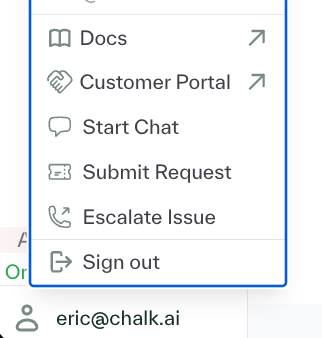
To page via the dashboard, click your username at the bottom left hand corner of the dashboard in the menu bar,
then click Escalate Issue. This will lead to a modal that enables you to provide more information about the incident.
2. Paging via Slack
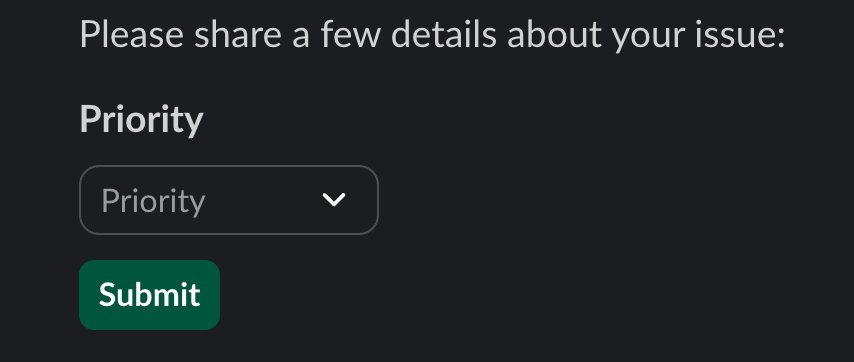
Enteprise support customers can also page our on-call engineering team via Slack by adding the 🎫 ticket reaction to a message, marking the ticket as urgent, and then selecting the option to page our on-call team.
The urgency option looks like this:
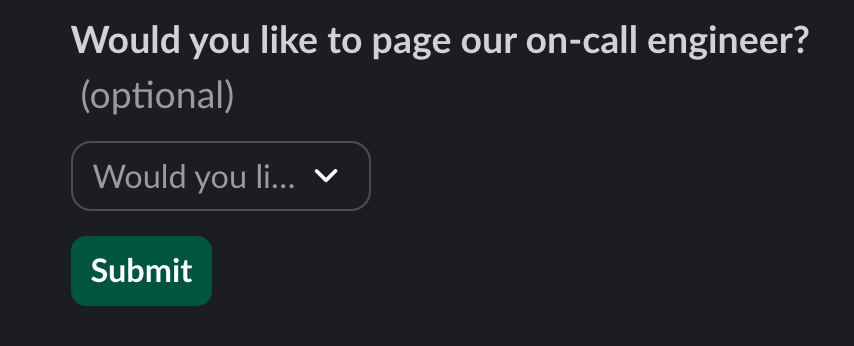
This option to page our on-call will open another modal that allows you to provide more information about the incident:
3. Paging via email
Enterprise support customers are given an emergency email address. Each message sent to this address immediately pages our on-call engineering team.