Feature Studio
Define, deploy, and manage features and resolvers with Chalk's Feature Studio.
Chalk’s Feature Studio provides a no-code interface within the web dashboard for users to define, deploy, and manage features and resolvers. The Feature Studio provides intuitive forms and visualizations to help users create and edit features in collaboration either entirely independently or in conjunction with Chalk’s traditional Python-based interface.
After defining features and resolvers in the Feature Studio, users can deploy their changes either to branches for testing, or directly as mainline deployments. From there, users can use the Online and Offline Data Explorers in the dashboard to trigger online and offline queries to validate their new feature pipelines, and create datasets for machine learning workflows.
This workflow is still in alpha—please reach out to the Chalk team if you would like to try it out.
Getting Started
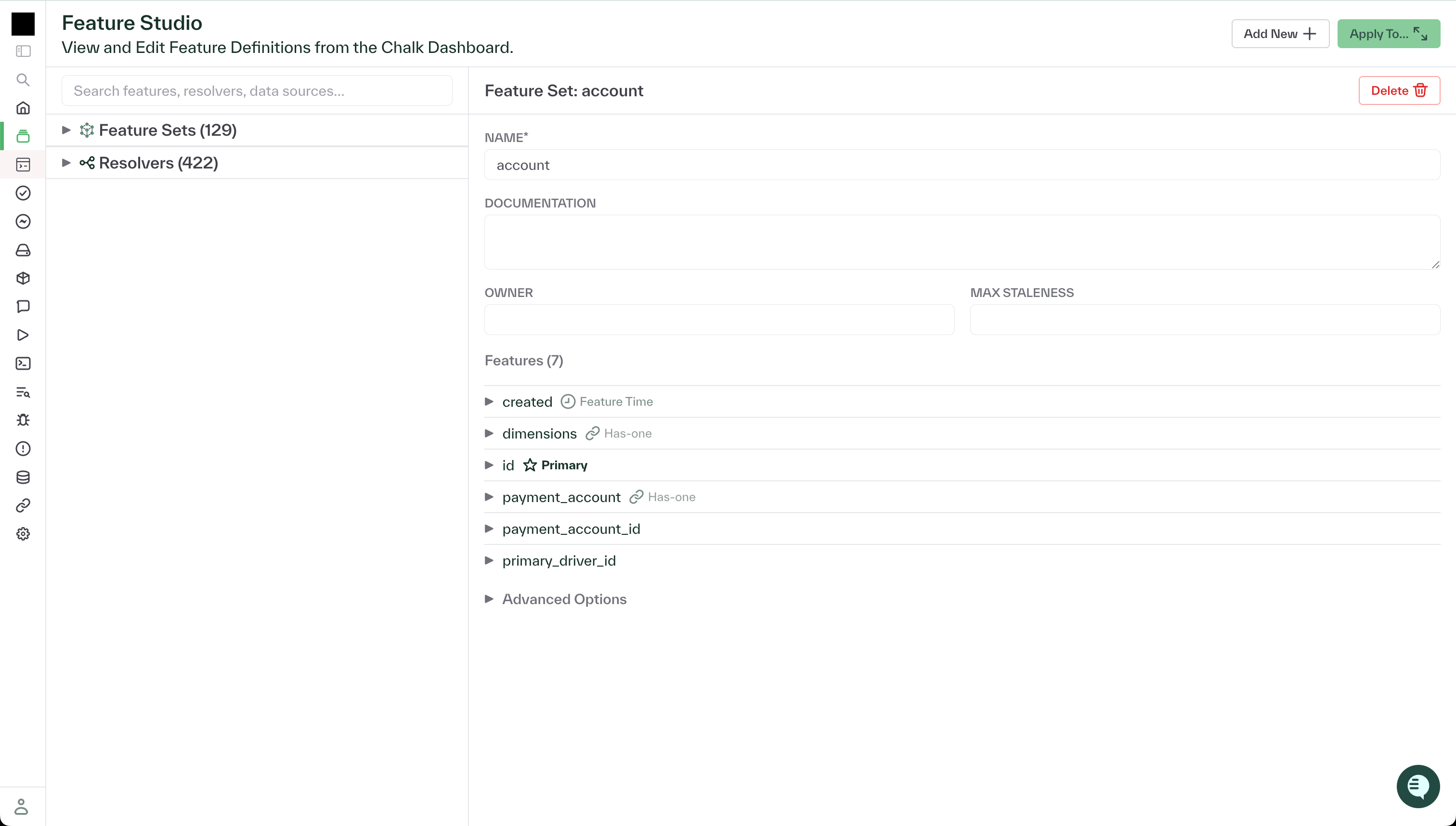
To access the Feature Studio, navigate to the Feature Studio tab in the Chalk dashboard.
The studio currently loads the graph of all features and resolvers defined in the current active
deployment in the environment. All features are editable, and show their current definitions, types,
and metadata (including description, owner, tags, and max_staleness). All resolvers show their
definitions, metadata, and links to upstream and downstream features.
Developing in the Feature Studio
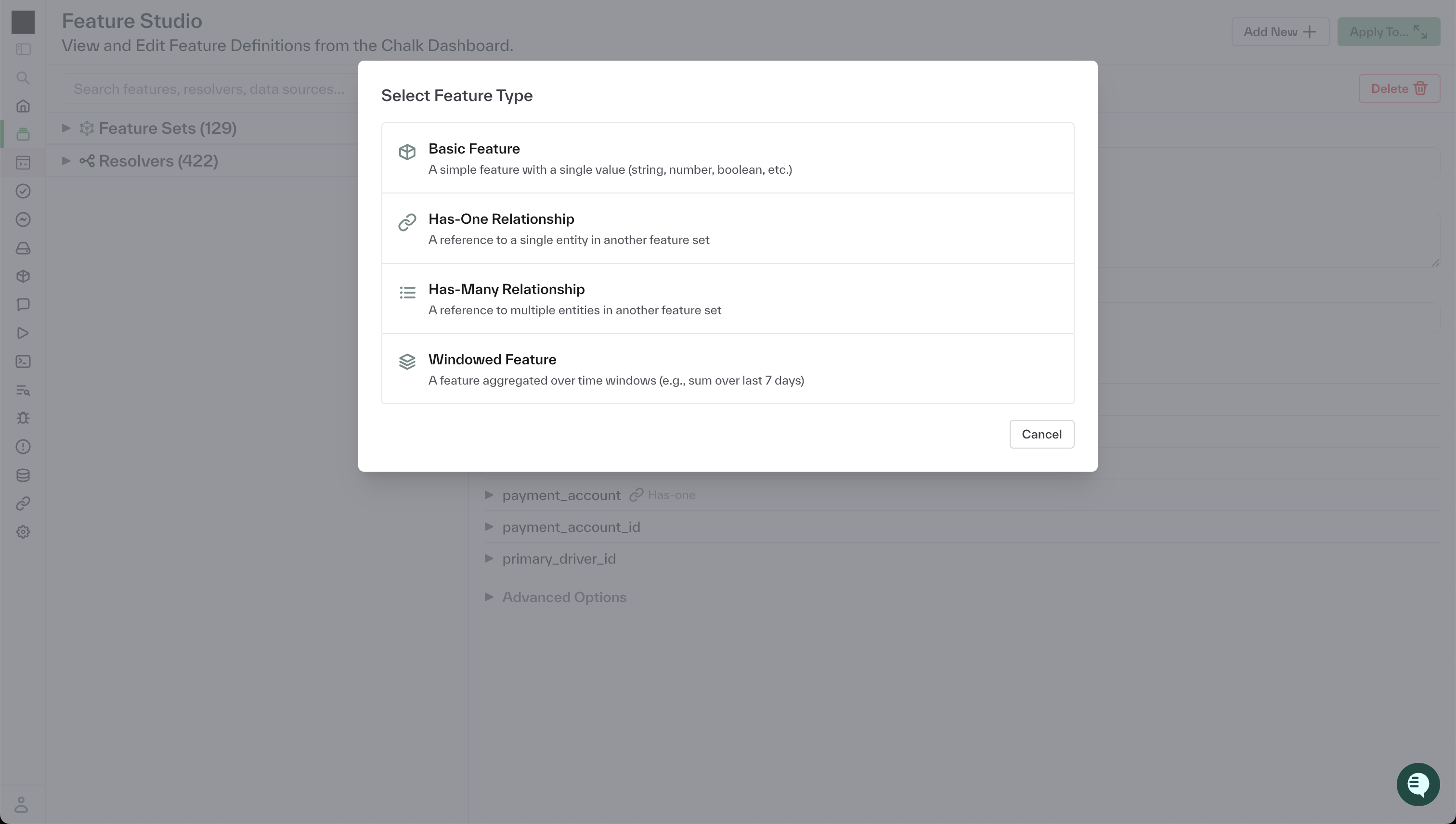
In the dashboard, users can click the Add New button to define a new feature namespace, feature
within an existing namespace, or resolver. Similar to the Pydantic-style definitions in Chalk’s
Python-based interface, users can define typed features with additional metadata.
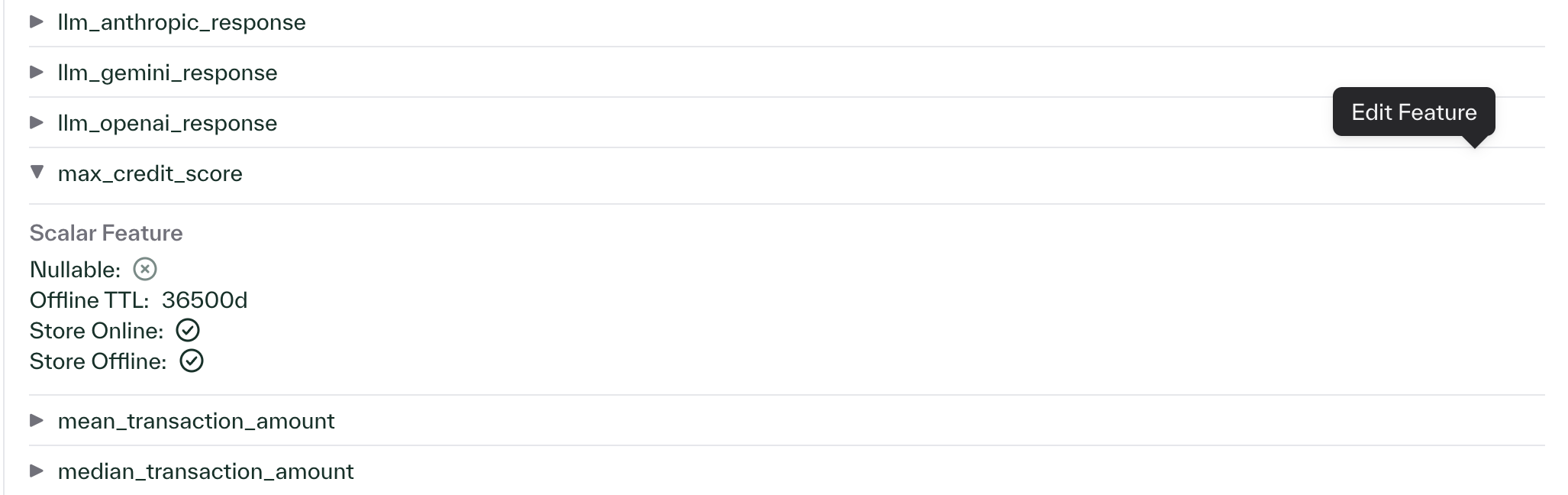
In addition to creating new features, users can also edit their features upon creation, or modify existing features in the current deployment.
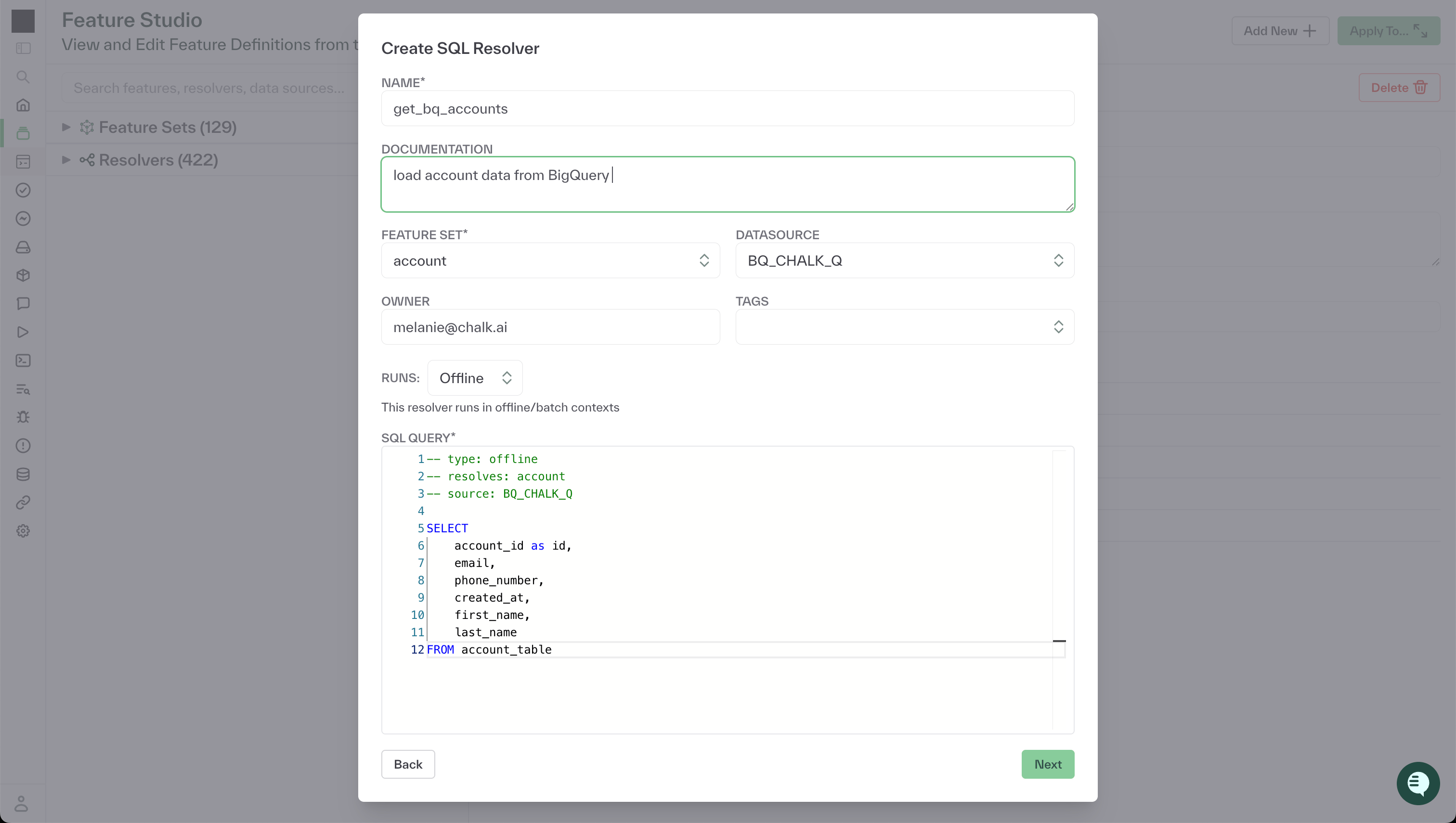
After defining the feature schema, users can define resolvers that indicate to the Chalk engine how feature values should be computed. SQL resolvers enable users to write SQL queries to load and transform data from their integrated data sources. Python resolvers provide the flexibility to call API’s, execute models, and perform arbitrary computations to generate feature values. Chalk Expressions enable users to write simple, intuitive computations referencing other features.
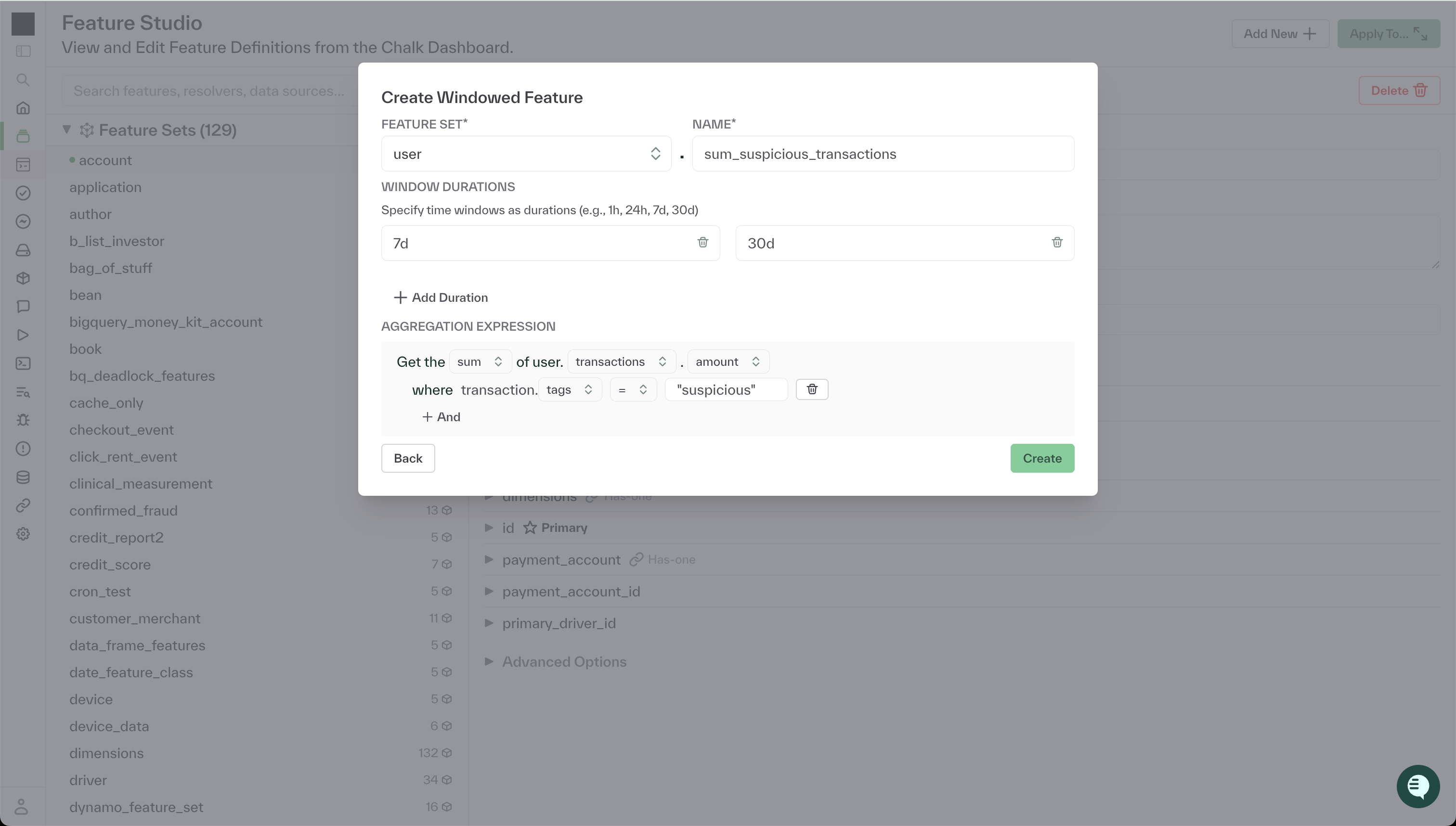
The Feature Studio supports the definition of more complex features as well, such as Windowed Aggregations. Through the feature definition modal, users can define time-based aggregations with custom filters based on has-many relationships between feature classes.
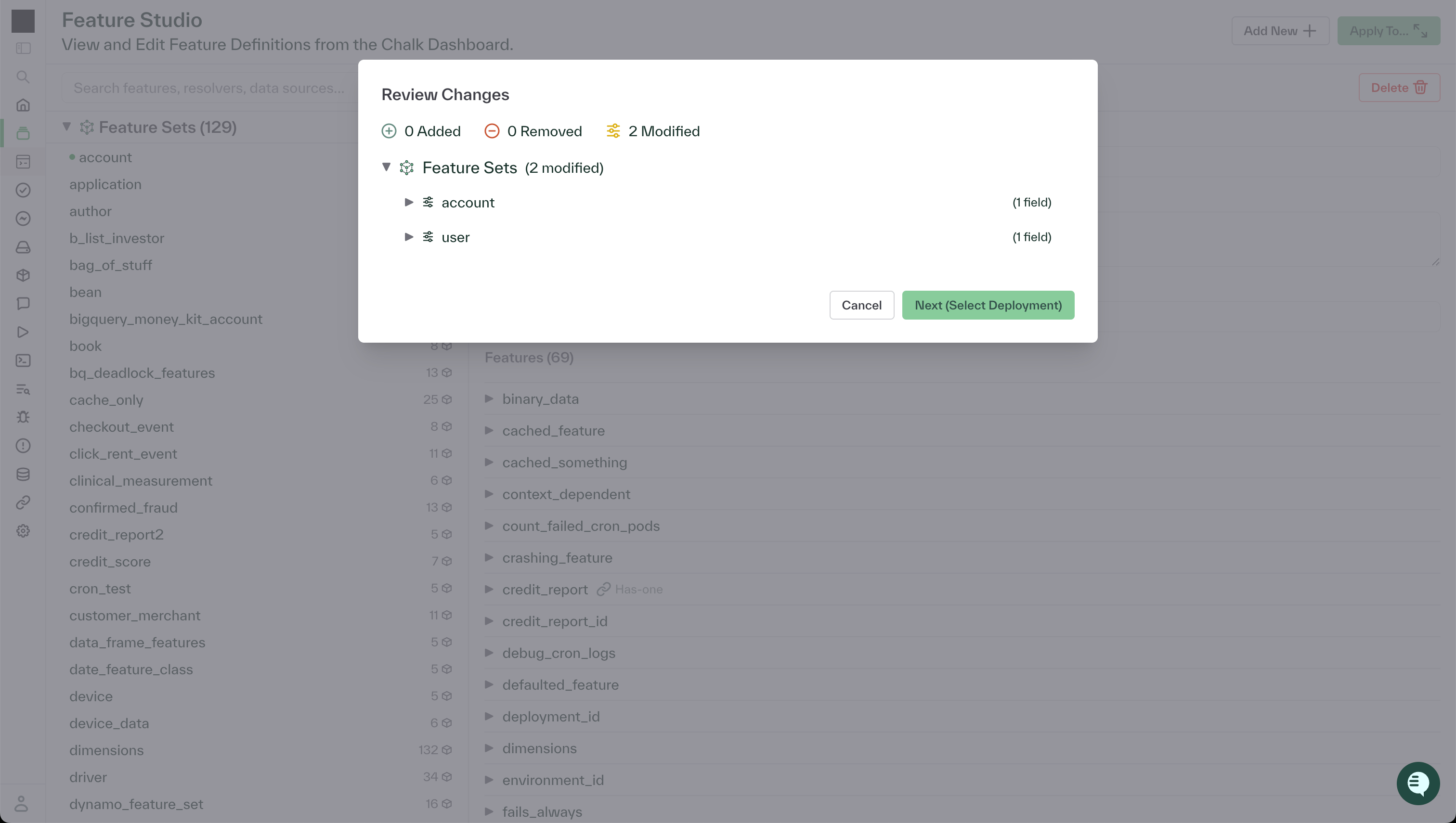
After defining the necessary features and resolvers for a new use case, users can preview all of the changes made in their current studio session, including all new, modified, and deleted components.
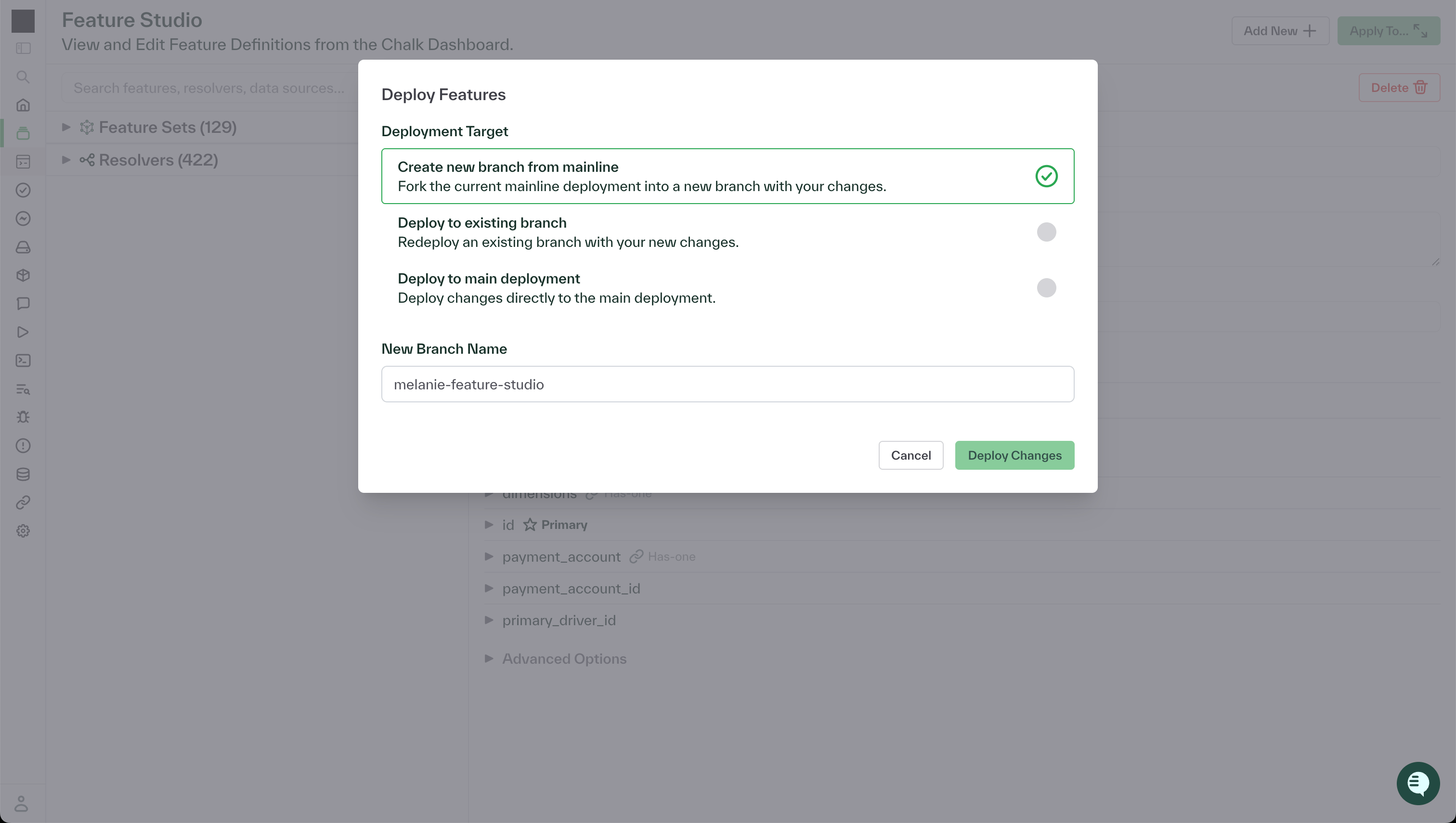
Once satisfied with the changes, users can deploy their new graph either to the branch server for testing, or directly as a mainline deployment for use in production.
Collaboration in the Feature Studio
The Feature Studio is designed to enable concurrent collaboration between multiple users, the same way that multiple users can work on branches in Chalk’s Python-based interface. In addition, many teams have some users who prefer to work in the Feature Studio, while others prefer the code-based interface. The Feature Studio supports this hybrid workflow as well, enabling imports of graphs as defined in code, as well as code exports of changes deployed from the Feature Studio.